Encrypted on your iPhoneNo accountFree to start

Some photos shouldn't be one swipe away.

Bunker keeps them in a vault only your Pattern can open. For iPhone, iPad and Mac. No account, and we can't see inside.

Coming soon to the App StoreSee how it works

Draw at least 6 dots with one turn, or .

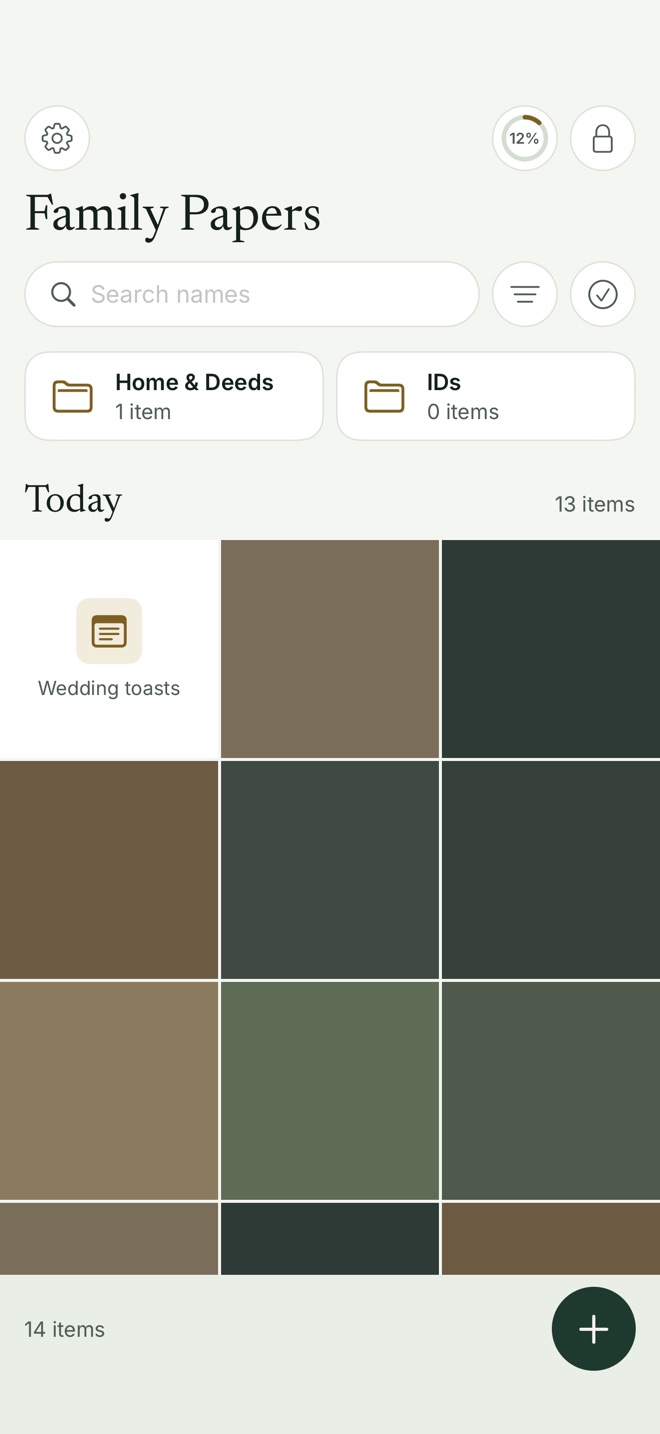
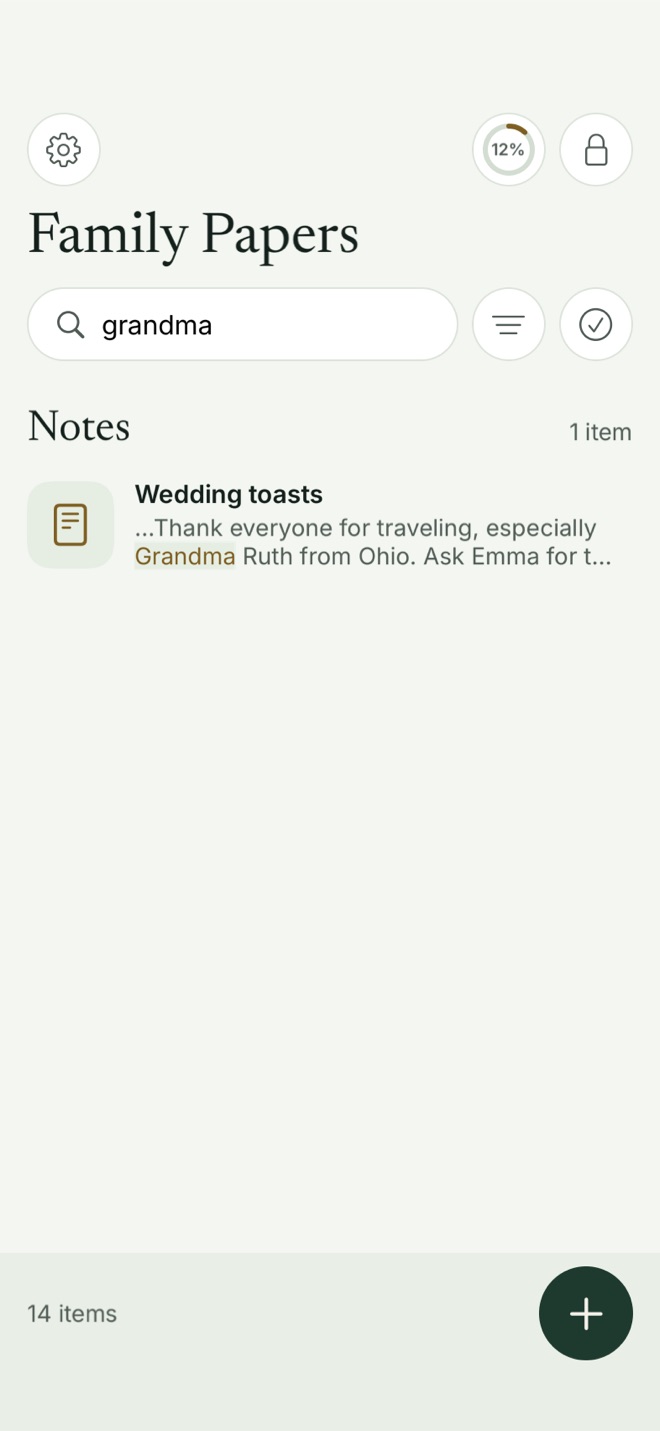
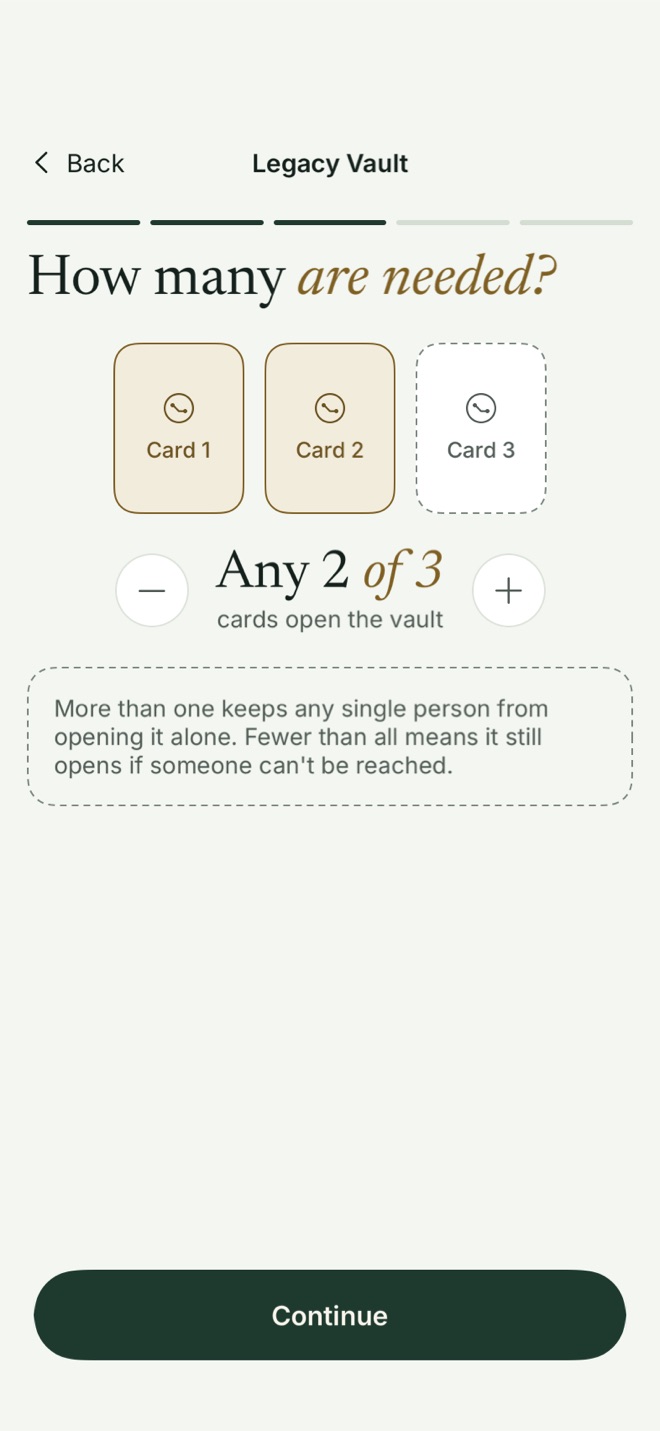
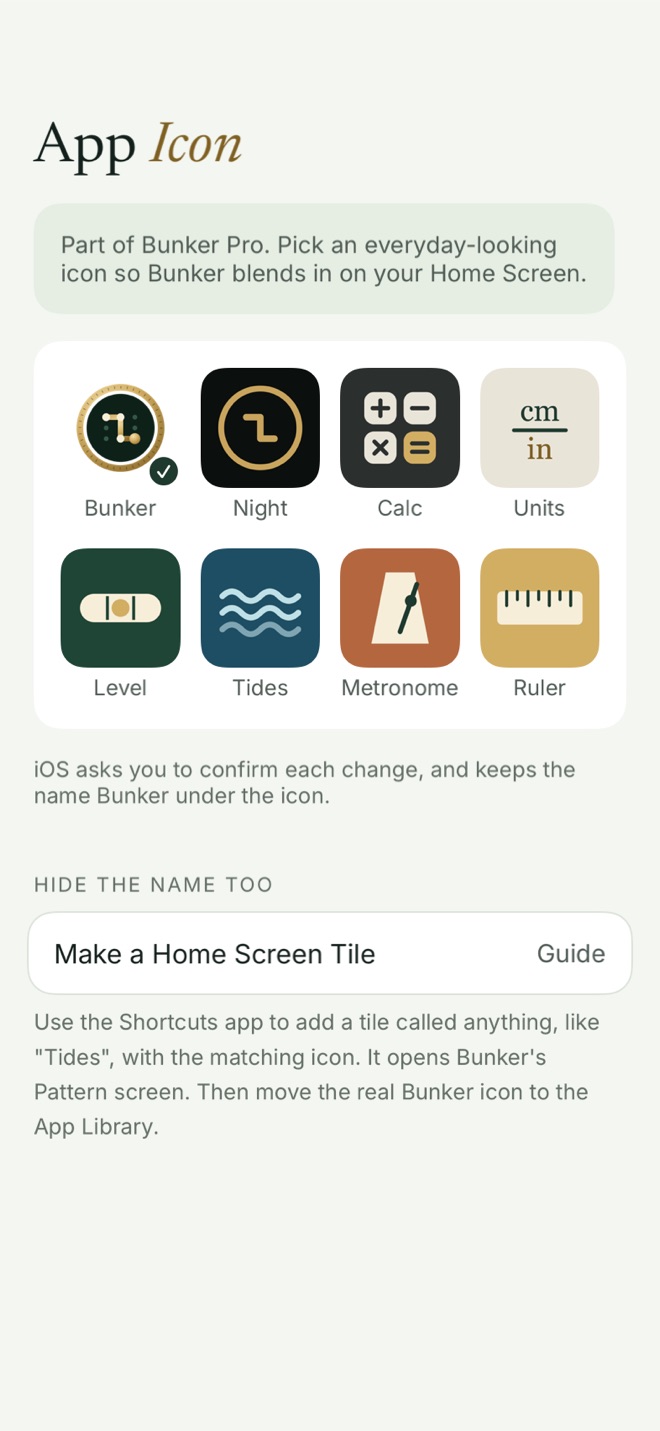
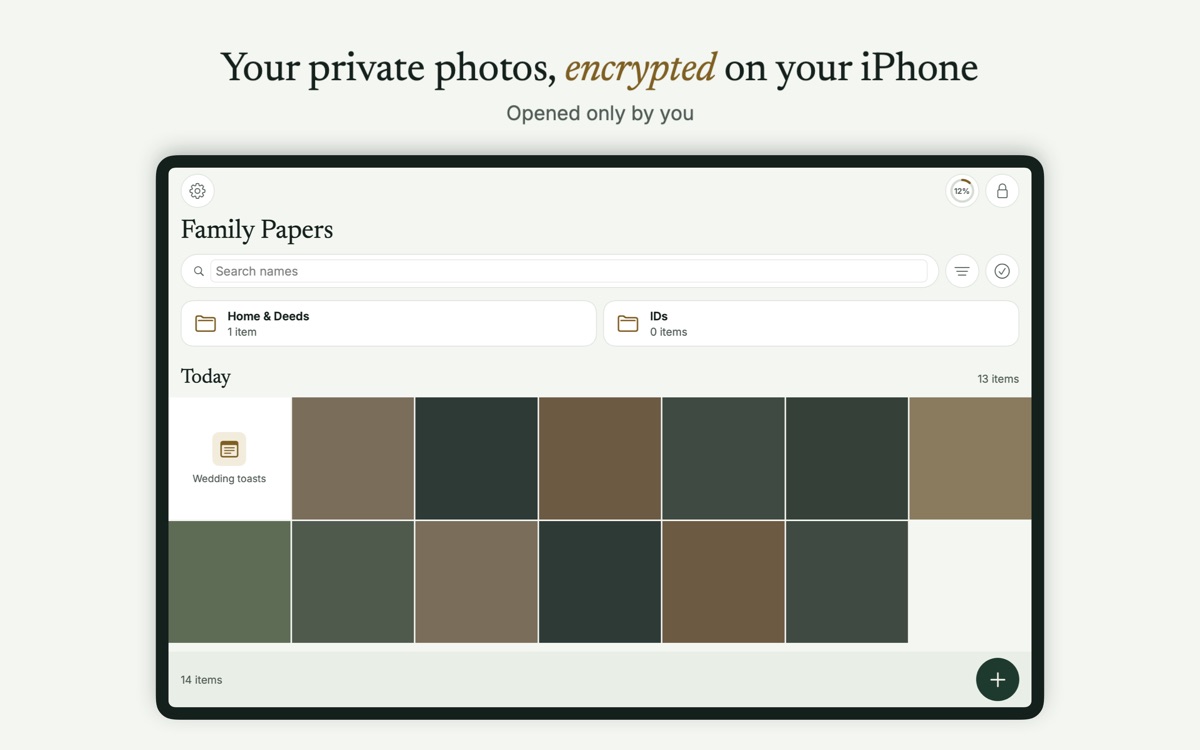
An open vault called Family Papers: folders and a grid of photosSearch finding the word grandma inside a note called Wedding toastsLegacy Vault setup asking how many cards are needed: any 2 of 3A choice of everyday-looking app icons for Bunker

Pattern Encryption

Your Pattern is the key. Each one opens its own vault.

Hidden Vaults

Nothing on screen shows how many vaults you have.

On-Device Keys

Keys stay on your phone. No account, no email.

Encrypted Backup

Free. Your iCloud keeps a copy only you can open.

Legacy Vaults

People you trust can open one together, later.

iPhone, iPad and Mac

One purchase covers every device.

How it works

Three steps. Then it just works.

  1. 1

    Draw your Pattern

    Connect at least 6 of the 25 dots, with one turn or more. That Pattern becomes the vault's key, made on your phone. We never see it.

  2. 2

    Add your photos

    From Photos, Files, the camera or the scanner. Afterwards Bunker offers to delete the originals, so the only copy left is the locked one.

    A vault called Family Papers with folders and a grid of photos
  3. 3

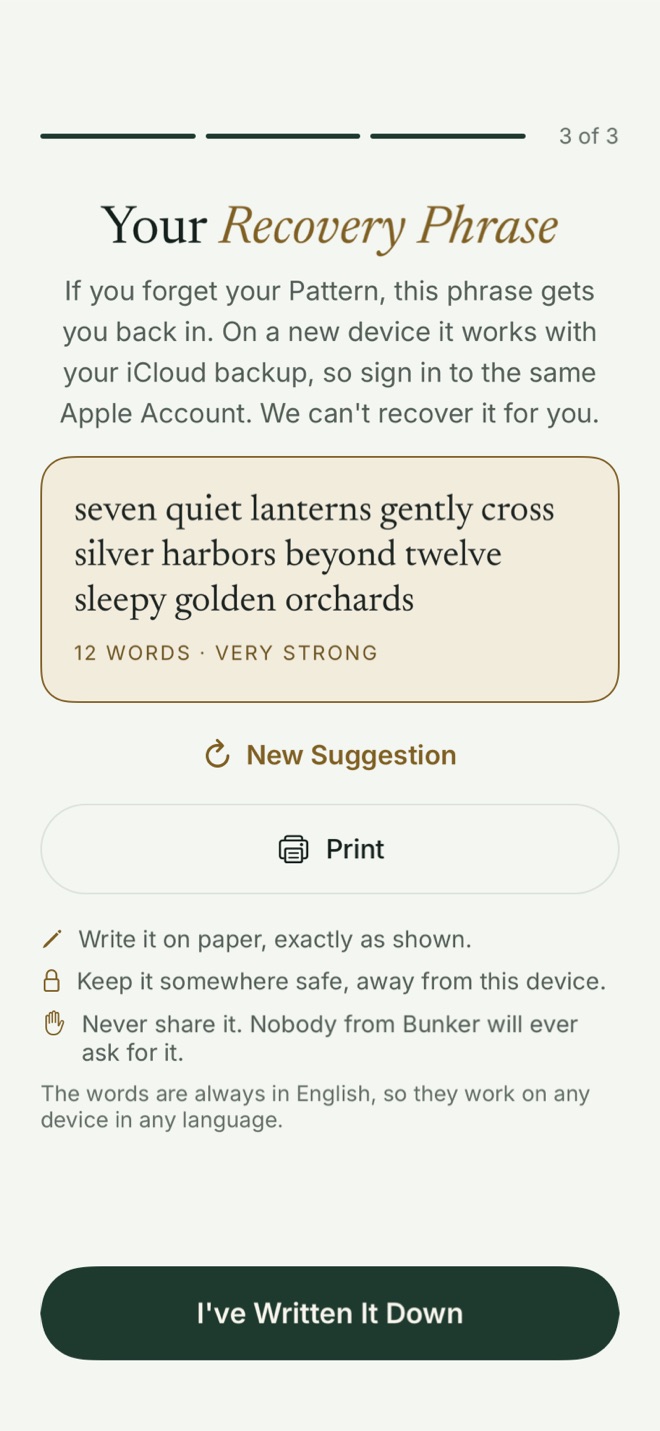
    Keep your Recovery Phrase

    A short sentence that opens the vault if you ever forget your Pattern. Write it on paper and keep it away from your phone.

    Bunker showing a Recovery Phrase: a twelve-word sentence on a paper card
Coming soon to the App Store

Why it's different

Four things a hidden album can't do.

Nothing to find

Without your Pattern, a vault is just noise. Even a full copy of your phone can't tell how many vaults you have.

Hidden Vaults · No vault list · No file names

On the Free plan Bunker keeps a count on the device to apply the free limits, so someone examining the phone could count your vaults. Bunker Pro deletes it.
A Pattern for pressure

Forced to unlock? Draw your Duress Pattern. An ordinary vault opens, and your other vaults are cleared from this phone.

Duress Vault · Your iCloud copies stay safe · Bunker Pro

Backed up, still sealed

Your vault is encrypted on your phone before it reaches iCloud. New phone? Draw your Pattern and it's all back.

Encrypted Backup · Free for everyone

Scan it. Find it.

Scan IDs, policies and letters straight into a vault, then search the words inside them, right on your phone.

Scan & Search · Read on your phone · Free

Legacy Vaults

If you can't open it, two of them can.

Choose up to 5 people you trust, and print each of them a Legacy Card. Unless you pick just one person, no single card opens anything.

Together, the number of cards you chose opens a read-only copy of that one vault: the will, the insurance papers, the photos. Your other vaults are never included.

Any 2 of 3, for example. You choose the numbers.

In this version, enough of them together could open it at any time, so choose people you'd trust with it today. Being a trusted contact is free.

Coming soon to the App StoreHow Legacy works

iPhone, iPad and Mac

Made for your Mac, not stretched to fit it.

On Mac, Bunker has a sidebar, a proper grid and keyboard shortcuts. Drag files in from Finder. Press ⌘L and it locks.

One purchase covers iPhone, iPad and Mac. With Pro, your vaults sync through your own iCloud, sealed before they leave each device.

Bunker on Mac: a vault with a sidebar of folders and a grid of photos

Everything else

The rest of it, done carefully.

Security

What we can't do, by design.

The strongest promise a privacy app can make is one it couldn't break if it tried. Here are ours.

And the limits: Bunker can't protect a phone that's already been hacked, or a Pattern someone watched you draw. Every limit is on the security page.

Pricing

Free to start. Backup included.

Free

$0

  • 3 vaults, with 100 photos, 10 videos and 20 documents or notes in total
  • Pattern Encryption and Hidden Vaults
  • Encrypted Backup to your iCloud
  • Scan & Search and Secure Camera
  • Open shared vaults and Legacy Cards from others

Family Plans

$49.99 a year

Or $99.99 once. Bunker Pro for up to 6 people through Family Sharing.

  • Everything in Bunker Pro, for each person
  • Everyone's vaults stay their own

Bunker needs iOS 18, iPadOS 18 or macOS 15 or later. Prices in US dollars; the App Store shows your local price. Subscriptions renew automatically unless you cancel at least 24 hours before the period ends.

Coming soon to the App Store

Compare

Comparing vault apps? We'll show where others win.

Questions people ask first

Can anyone at Bunker see my photos?

No. Everything is encrypted on your device with a key made from your Pattern, and there's no account or server holding that key. We couldn't open a vault if we were asked to.

What if I forget my Pattern?

Use the vault's Recovery Phrase, the sentence Bunker gives you when you make the vault. It opens the vault and lets you draw a new Pattern. Without the Pattern, a Passphrase you added or the Recovery Phrase, nobody can open it, including us.

Is the iCloud backup really free?

Yes, for everyone. Each vault is encrypted before it's backed up to your own iCloud, and you restore it on a new device with its Pattern or Recovery Phrase.

What happens to my vaults if I die?

With a Legacy Vault, the people you choose each get a printed Legacy Card. Together, the number of cards you picked opens a read-only copy of that one vault. In this version they could do that at any time, so choose people you'd trust with it today.

Does it work on Mac and iPad?

Yes. Bunker is a native app on iPhone, iPad and Mac, and one purchase covers all three. With Bunker Pro, your vaults sync between them through your own iCloud, encrypted end to end.

Your photos. Your key.

No account. No ads. Nothing to sign up for.

Coming soon to the App Store

For iPhone and iPad with iOS 18 or later, and Mac with macOS 15 or later.