Hidden Vaults
Hidden Vaults let you keep separate vaults in Bunker, each opened by its own Pattern, with no list of them on any screen or in the app’s files. Someone who opens Bunker with one Pattern sees only that vault, and nothing tells them whether others exist.
How it works
Every vault is equal. There’s no “main” vault and no setting that marks one as hidden; a vault is simply whatever opens when you draw its Pattern.
To make another vault, lock Bunker and draw a Pattern you haven’t used. After the usual Opening animation you’ll see “No vault opened”, with Try Again and Create a New Vault. Choose Create a New Vault, draw the Pattern once more, write down its Recovery Phrase, and you’re in. Vault Settings → Add Another Vault explains the same steps, and it appears in every vault, so it reveals nothing.
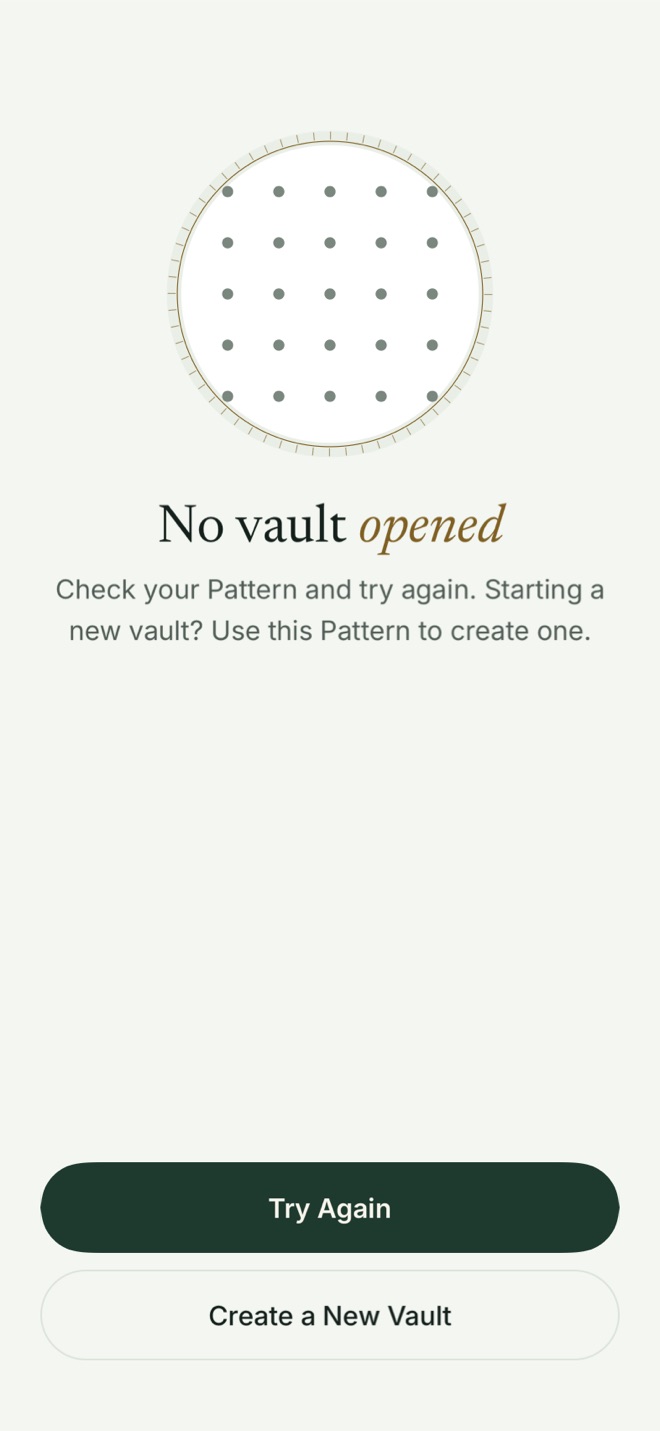
That screen looks the same for a typo and for a brand-new Pattern, because Bunker can’t tell them apart. That’s the point. If the app could say “wrong Pattern”, it would have to know which Patterns are real.
Why the app’s files don’t give the count away
Most vault apps keep one folder per vault, which anyone examining the phone can count. Bunker doesn’t:
- Every vault’s unlock records live in one slot file that’s always 16 MiB and always looks like random bytes, whether you have 1 vault or 50.
- File contents live in one shared pool of encrypted 4 MiB blocks, padded so their sizes say little. Only a vault’s own encrypted index knows which blocks are its own.
- Each time a vault closes, Bunker brings every storage file’s change time to the same moment, so no file stands out as the one just used.
The pool’s total size shows how much you store in all, not how it divides between vaults.
Hidden with no trace is Bunker Pro
Free allows 3 Vaults, with 100 photos, 10 videos and 20 documents and notes in total. To apply those limits, Bunker keeps a small count on the device: one random tag per Vault and its item counts, nothing else. That count is the trade-off: on Free, your Vaults are separate, but someone examining the phone could tell how many there are.
Bunker Pro deletes the count from the device the moment it starts and never keeps one, so everything above holds: no list, no count, nothing that gives a Vault away. A device backup made while you were on Free may still hold the old count. Received shares and Legacy copies never count; items in Recently Deleted do until they’re gone.
Look after each vault separately
Because nothing links your vaults, each one needs its own care:
- Its own Recovery Phrase. Write each one down and label the paper in a way that means something to you.
- Its own backup. Encrypted Backup is on by default for each new vault; check it in that vault’s settings.
- Its own Pattern you’ll remember. Bunker can’t remind you that a vault exists.
What it protects against
- Someone who knows one Pattern, or makes you open one vault: they see that vault and nothing in the app hints at more.
- Someone who copies the app’s files or an unencrypted computer backup once: a single copy doesn’t show how many vaults are in use.
What it doesn’t protect against
- Comparing copies over time. Several backups taken at different times can suggest how many vaults are in use, from which parts change.
- A forensic image of the phone’s file system (not a backup): file system details can point to which storage was rewritten most recently.
- Someone who can read your iCloud account. Each vault backs up on its own schedule, so the number and rough size of backup groups can be estimated, even with padding and decoy records mixed in.
- Suspicion. Anyone who knows Bunker supports Hidden Vaults may assume you have one. Bunker can’t prove you don’t, and it can’t prove you do.
- Someone with your Pattern. Each vault is only as private as its Pattern.
Related
- Pattern Encryption: how each Pattern becomes a key.
- Duress Vault: one vault that clears the others from this device when opened.
- Encrypted Backup: restoring each vault on a new device.
- Bunker vs Vaultaire and Bunker vs calculator vault apps.
Questions
How do I make a second vault?
Lock Bunker and draw a new Pattern on the unlock screen. On Free, Bunker asks you to draw it once more. With Bunker Pro, choose Create a New Vault on the "No vault opened" screen first. Then save its Recovery Phrase, and the new Vault opens.
How many vaults can I have?
Free allows 3 Vaults, with 100 photos, 10 videos and 20 documents and notes in total. Bunker Pro has no limit.
Can Bunker show me a list of my vaults?
No. The app is built so it can't know how many vaults exist. If you forget a vault's Pattern, its Recovery Phrase (or a Passphrase you added) is the way back in.
Are my Vaults hidden on Free?
They're separate, but not hidden. To apply the Free limits, Bunker keeps a small count of your Vaults on the device, so someone examining the phone could tell how many there are. Bunker Pro deletes that count from the device the moment it starts and keeps none, so Pro's Vaults leave no trace. A device backup made while you were on Free may still hold the old count.