Pattern Encryption
Every vault in Bunker is encrypted on your iPhone, iPad or Mac with a key that only its Pattern (or its Recovery Phrase) can unlock. There’s no account to create, nothing to sign in to, and no copy of your keys on any server, so nobody at Bunker can open your vaults.
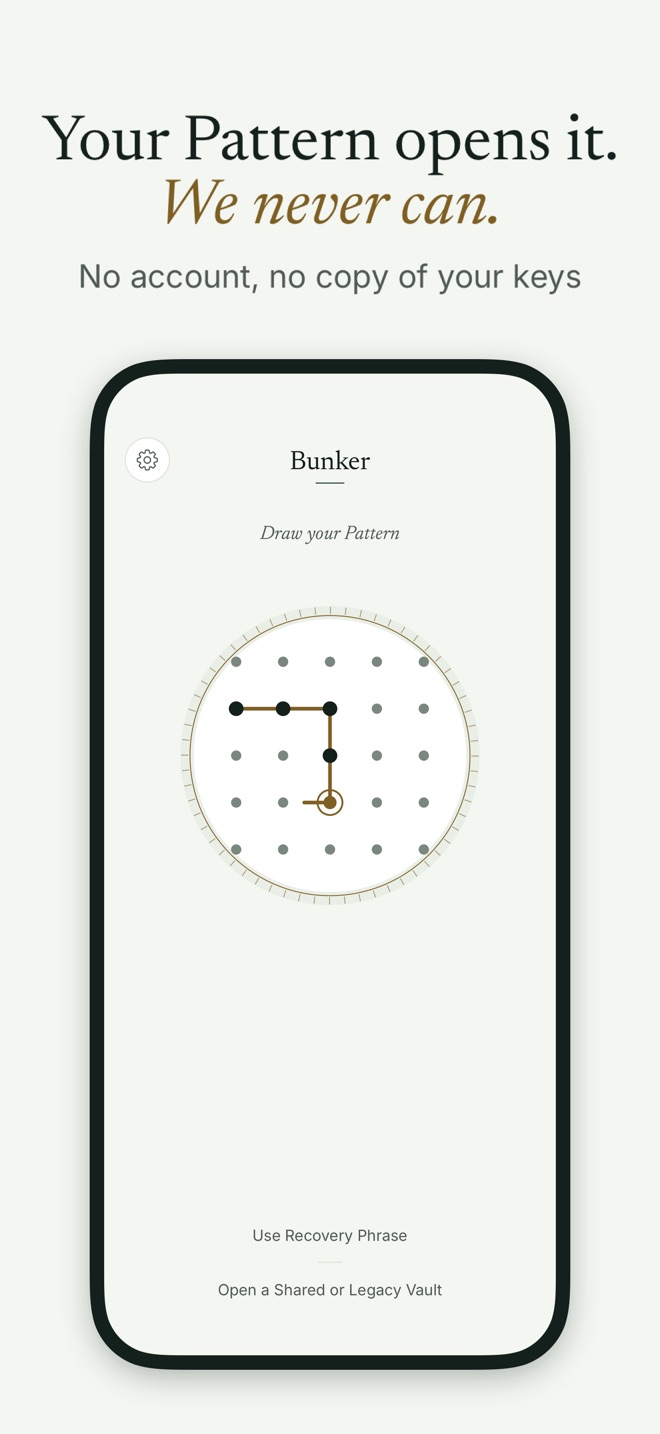
How it works
You open a vault by drawing a line through dots on a 5 × 5 dial. The rules are simple: connect at least 6 dots, with at least one turn. The order matters, so the same dots drawn in a different order make a different Pattern. If your line passes straight over a dot, that dot is added for you, the way an Android lock screen does it.
When you lift your finger, Bunker turns the Pattern into a key with Argon2id, a password-hashing method designed to be slow and memory-hungry (64 MiB and 3 passes on your device). It mixes in a secret stored in your device’s Keychain, so a copy of the app’s files alone isn’t enough to start guessing. That key unlocks the vault’s root key, which in turn unlocks a separate key for every file.
Everything inside is encrypted with AES-256-GCM: photos, videos, documents, notes, thumbnails, file names and folder names. Nothing in the app’s storage says what a file is called or what kind of file it is.
A Pattern that opens nothing gets the same Opening animation and the same wait as one that works, then the words “No vault opened”. Bunker doesn’t know whether you made a mistake or are starting a new vault, and it never says “wrong”. After 4 misses in a row it starts adding waits: 30 seconds, then 1 minute, 5 minutes, and 15 minutes for each miss after that.
Choosing a good Pattern
When you create a vault, Bunker refuses the shapes people pick most often (straight rows, columns, diagonals, the outer ring, and letters like L, Z, U and C in any rotation) and rates the rest as Fair, Good or Strong. Aim for Strong: 11 or more dots with 3 or more turns. You can try shapes without risk on our Pattern strength tool.
If people can see your screen, turn off App Settings → Appearance → Show Pattern While Drawing. The line then stays hidden as you draw.
The optional Passphrase
In Vault Settings → Also Unlock With a Passphrase you can add a typed Passphrase of at least 4 words or 16 characters. It’s useful on a Mac, with VoiceOver, or if you prefer typing. It works only on the device where you set it (and devices that receive its data by transfer), so it can’t restore a vault on a new device.
The Recovery Phrase
Every vault gets a Recovery Phrase: a generated English sentence of about 12 words, such as “seven quiet lanterns gently cross silver harbors beyond twelve sleepy golden orchards”. It carries more than 100 bits of randomness, and it opens the vault if you forget the Pattern, including on a new device signed in to the same Apple Account with Encrypted Backup on.
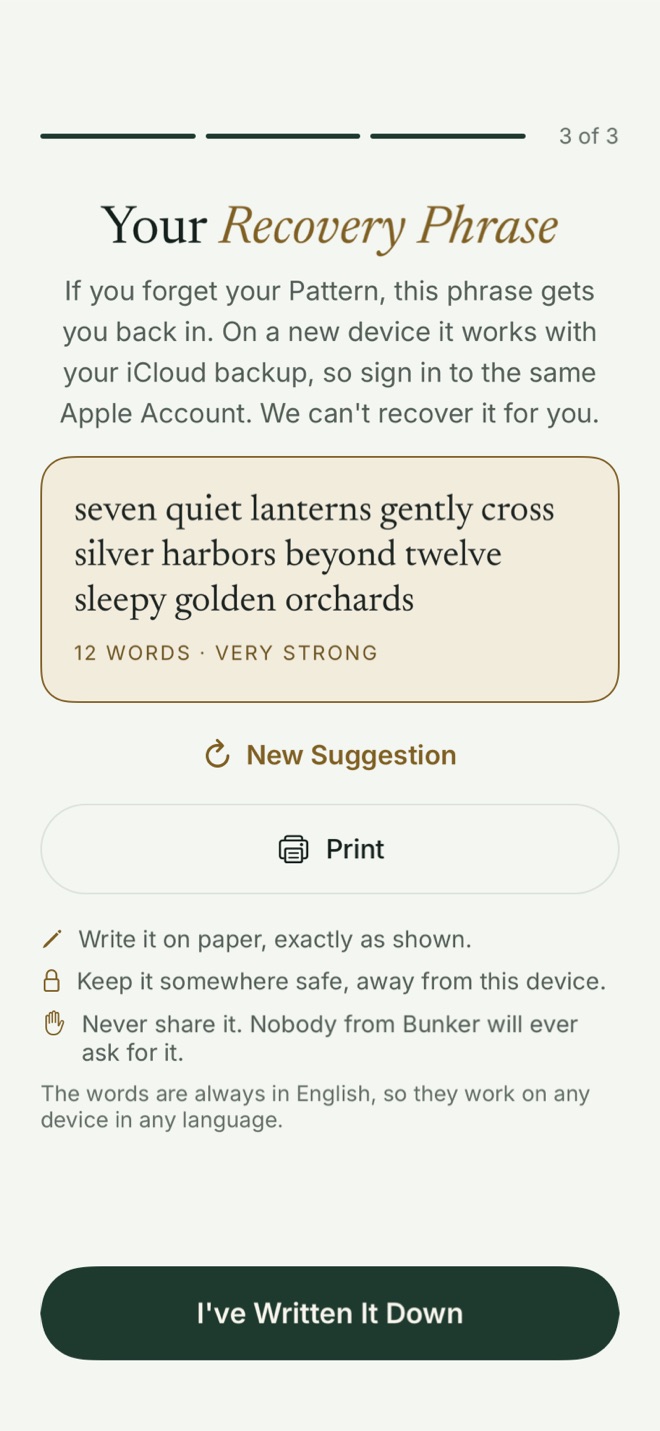
Write it on paper, then Bunker asks you to retype it from the paper, which proves your copy is right. There’s no Copy button on purpose. By default Bunker also keeps an encrypted copy inside the vault, so you can see it again in Vault Settings → Recovery Phrase after drawing your Pattern.
What it protects against
- Someone who picks up your unlocked phone and opens Bunker: they see nothing without a Pattern.
- Someone who copies the app’s files or an unencrypted computer backup: they get ciphertext only, and can’t test Pattern guesses without the device secret.
- Us, and iCloud as a storage service: neither holds your keys.
What it doesn’t protect against
- A Pattern someone watched you draw. Encryption can’t help if they know the shape.
- A compromised or jailbroken device, malware, or a malicious system update.
- Offline guessing of a weak Pattern by someone who has both your data and the device secret, for example an encrypted Finder backup together with its password, or access to your iCloud Keychain. Argon2id slows each guess; it doesn’t make a 6-dot Pattern safe.
- Someone who finds your written Recovery Phrase. Keep it away from the device.
- Older copies. Changing your Pattern doesn’t lock out a copy of the vault someone already took; the old Pattern still opens that copy.
If you forget both the Pattern and the Recovery Phrase, the vault can’t be opened by anyone, us included.
Free or Pro
Pattern Encryption, the Passphrase and the Recovery Phrase are part of Bunker for everyone, at no cost.
Related
- Hidden Vaults: more vaults, each with its own Pattern.
- Encrypted Backup: how the Pattern and Recovery Phrase bring a vault back on a new device.
- Duress Vault: a Pattern for when you’re forced to open the app.
- How Bunker protects you: the full design and threat model.
Questions
Can Bunker reset my Pattern if I forget it?
No. We never have your Pattern or your keys. Your Recovery Phrase is the way back in: on the unlock screen, choose Use Recovery Phrase, type it, and choose a new Pattern.
Does Bunker use Face ID?
Not in this version. A vault opens only with its Pattern, its optional Passphrase or its Recovery Phrase. A Face ID shortcut would be a way in for anyone who can hold the phone up to your face.
How strong is a Pattern?
A 6-dot Pattern with one turn is about 13 bits if chosen at random, which is weak on its own. Bunker slows every guess with Argon2id and blocks common shapes, but longer Patterns with more turns, or a Passphrase, are much stronger.
What happens when I draw a Pattern that doesn't open anything?
Bunker shows "No vault opened" after the same animation and the same wait as a real unlock. It can't tell a mistake from a new Pattern, so it never says "wrong".